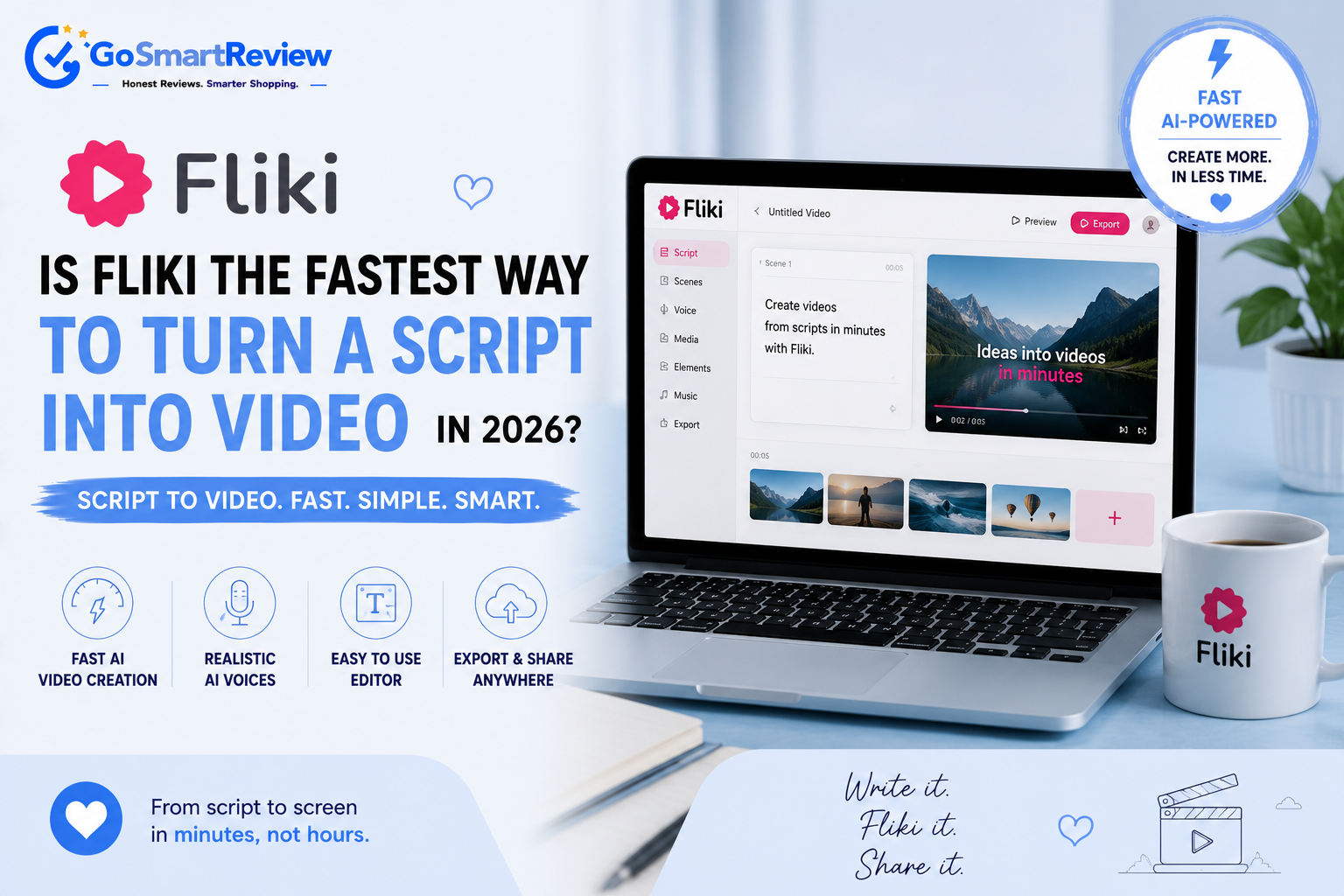
Is Fliki the fastest way to turn a script into video in 2026?
Fliki converts scripts, blog posts, and simple prompts into fully produced videos — complete with AI voiceover, matched visuals, captions, and music. With 2,500+ AI voices and nearly 3,000 reviews averaging 4.2/5, it's become a go-to tool for creators, though the credit system trips up a fair number of users.
What is Fliki?
Fliki is an AI-powered video creation platform that converts scripts, blog posts, URLs, PowerPoint files, or simple text prompts into fully produced videos, complete with AI voiceover, matched visuals, captions, and background music. The platform uses a slide-based editor: input text is broken into scenes, each paired with an AI-suggested visual and voiceover that can be independently adjusted. Fliki's standout feature is its voice library — over 2,500 AI voices across 80+ languages, backed by a commercially-licensed stock media library of 10M+ images, clips, and music tracks.
Turning a script into a finished video
Fliki's core workflow is designed to take you from raw text to a shareable video in well under an hour.
Paste your script or a URL
Drop in a written script, a blog post link, a PowerPoint file, or just a simple prompt describing what you want the video to cover.
Fliki breaks it into scenes
The text is automatically split into slide-based scenes, each paired with an AI-suggested visual from the platform's licensed stock library.
Pick a voice and adjust visuals
Choose from 2,500+ AI voices across 80+ languages, and swap out any visual that doesn't quite match the scene.
Export and share
Export in multiple aspect ratios for YouTube, TikTok, or Instagram, complete with captions and background music already synced to the voiceover.
What you get, what you give up
- Genuinely fast workflow — reviewers consistently confirm a polished, shareable video from a script in under 45 minutes
- Industry-leading voice library with 2,500+ AI voices across 80+ languages, repeatedly praised as the platform's top strength, including notably natural child voice options
- Flexible input options — turn a script, blog URL, PowerPoint, or simple prompt into a complete video draft
- Commercially licensed stock media library with 10M+ images, clips, and music tracks, reducing copyright concerns for business use
- Active development with recent model integrations (Seedance 2.0, VEO 3) that reviewers say meaningfully improved visual quality over older versions
- The credit system is a recurring, genuine frustration — credits are consumed during editing and previewing, not just final export, which catches many users off guard
- AI-matched visuals are sometimes too literal or outright mismatched (a guitar tutorial pulling a piano image, for example), requiring manual review and swapping
- Some users report slow customer support response times, with promised 24-72 hour windows not always honored, particularly for billing disputes
- A notable quality gap exists between the 4.4/5 Trustpilot rating and a much lower 2.1/5 on the iOS App Store, suggesting the mobile experience lags behind desktop
- A subset of reviewers report AI-generated visual artifacts (garbled text, gibberish) and occasional copyright/demonetization issues on YouTube despite using licensed stock footage
When to buy — and what to double-check
✔ Fliki is a great fit if you
- Regularly turn written content (blogs, scripts) into video for YouTube, TikTok, or Instagram
- Want access to a huge, natural-sounding multilingual voice library
- Are comfortable working primarily on desktop/web rather than mobile
- Value speed and ease of use over pixel-perfect manual video editing control
✘ Consider elsewhere if you
- Need a mobile-first video editing experience
- Want a flat-rate plan without worrying about credit consumption during editing
- Require guaranteed fast support response for billing issues
- Need every visual to be hand-picked rather than AI-suggested by default
Fliki vs. other AI video tools
| Option | Known for | Voice library | Best for |
|---|---|---|---|
| Fliki | Fastest script-to-video workflow, huge voice library | 2,500+ voices, 80+ languages | Creators and marketers producing frequent video content |
| Synthesia | Realistic AI avatars/presenters | Smaller voice set, avatar-focused | Corporate training and presenter-led videos |
| Pictory | Repurposing long-form video into clips | Moderate voice selection | Podcasters and long-form creators wanting clips |
Quick answers
How does Fliki's credit system work?
Fliki uses a minute-based credit system, but a common complaint in reviews is that credits are consumed during editing and preview generation, not just on final export — so it's worth watching your usage closely, especially on lower-tier plans.
Is Fliki good for languages other than English?
Fliki supports 80+ languages with a large voice library, though several reviews note that non-English voices can sound less natural than the English options, so it's worth previewing a voice before committing to a full project.
Does Fliki work well on mobile?
The mobile app experience lags well behind the web platform — Fliki holds a 4.4/5 rating on Trustpilot (largely based on web use) but only about 2.1/5 on the iOS App Store, so it's best used primarily as a web-based tool.
8.0/10 — A fast, voice-rich video tool with a credit system worth watching
Fliki delivers a genuinely fast, easy-to-use text-to-video workflow with an industry-leading voice library that reviewers across independent sites consistently rank as its top strength. The credit system and occasional AI visual mismatches are the most common frustrations, and the app-store experience is notably weaker than the web platform. For creators, marketers, and educators wanting to turn written content into video quickly without editing skills, it's a well-reviewed tool worth trying on the free tier before committing to a paid plan.
Shop Fliki →